At the beginning of the year, we announced our 2025 roadmap, and notably that a full 3D, real-time editor was being integrated into GDevelop.
This new editor is now almost ready and will be included in the upcoming 5.6 release. If you haven’t read our introduction to GDevelop 5.6 yet, read it here.
Let's take a look in this article at the engineering behind the editor and, notably, the architectural changes it required and the technical challenges we had to overcome. While developing it, the team had to maintain the existing engine, fix community-reported bugs, optimize performance, and strengthen the whole software stability.
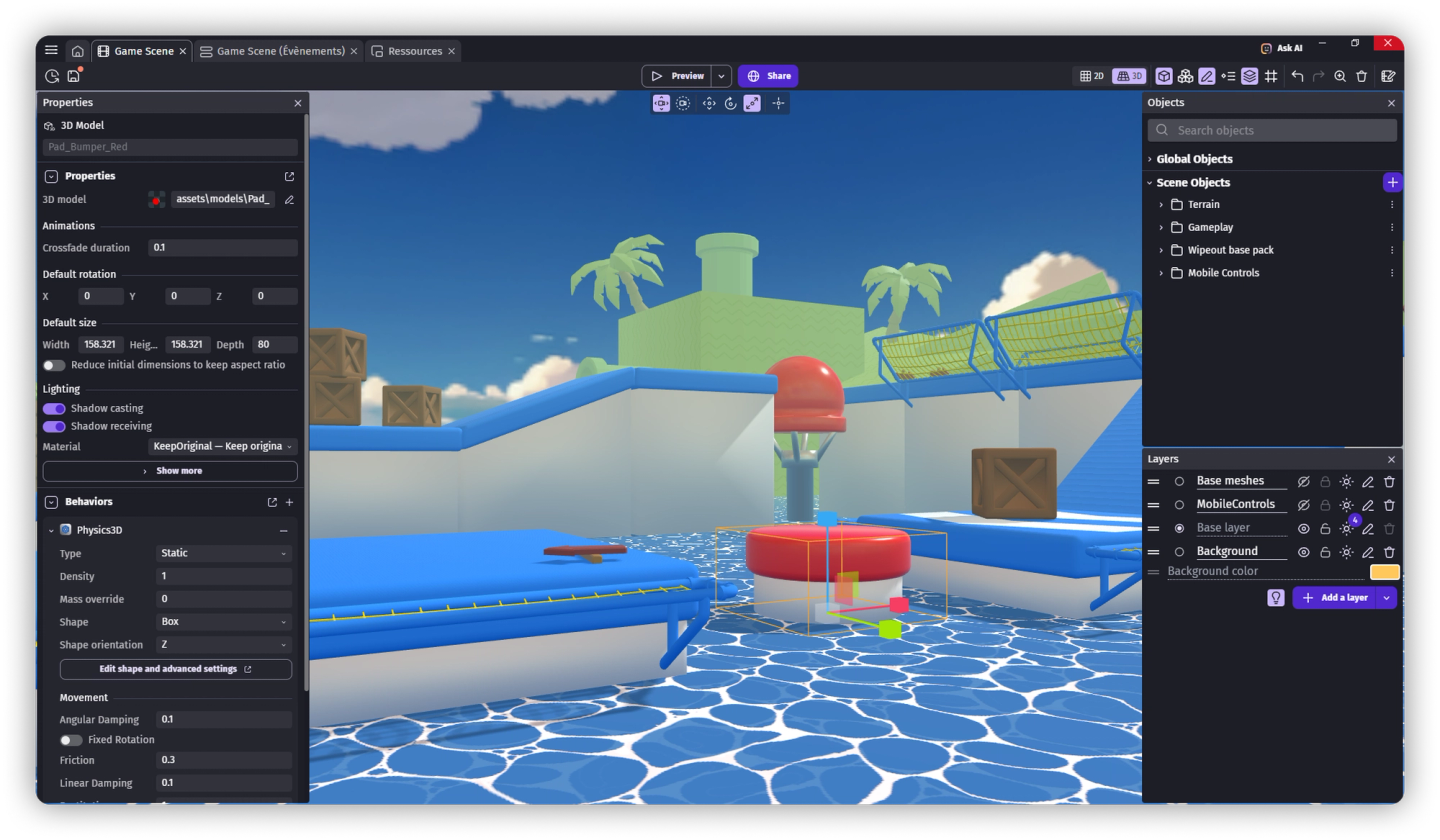
Foundations and differences with the 2D editor
The 3D editor is entirely separate from the 2D editor, giving us the flexibility to improve existing features as we introduced 3D capabilities.
The existing 2D editor is lightweight and fast but its architecture had some limitations:
- It's separate from the game engine, needing each object to be re-implemented for it in addition to the main engine,
- It couldn’t display visual effects or lighting directly,
- Custom objects couldn’t define their own visual rendering,
- It operated entirely inside the main process.
Overcoming these limitations required an architectural shift. The 3D editor is built on the foundations provided by the game engine:
- The rendering is done by the game engine itself,
- It's a separate process, running like a preview, and it uses the hot-reload system we've being building over the years to communicate with the rest of the editor.
Integrating the 3D editor into the engine
As the new 3D editor runs and renders in a separate frame and process, and is based on the game engine itself, it brings major performance and scalability improvements:
- The editor now benefits from all engine-level optimizations (rendering, physics, lighting, etc.) automatically.
- Scene rendering no longer affects the rest of the editor, it runs on a dedicated CPU core.
- Multiple scene tabs can share the same engine “preview”, reducing the amount of graphic rendering canvas needed and the number of WebGL contexts to operate.
As the 3D editor is the game itself running separately from the rest of the editor, it maintains its own scene representation, synchronized with the main editor through internal message exchanges. This is based on the same work that enables hot-reloading inside previews.
This allows changes, like adjusting an object’s tint, texture, color or other properties in the sidebar, to appear immediately in the editor.
To prevent game logic from executing in the viewport, the 3D view runs in a paused state, rendering only what’s visible and reacting to property updates sent from the editor panels.
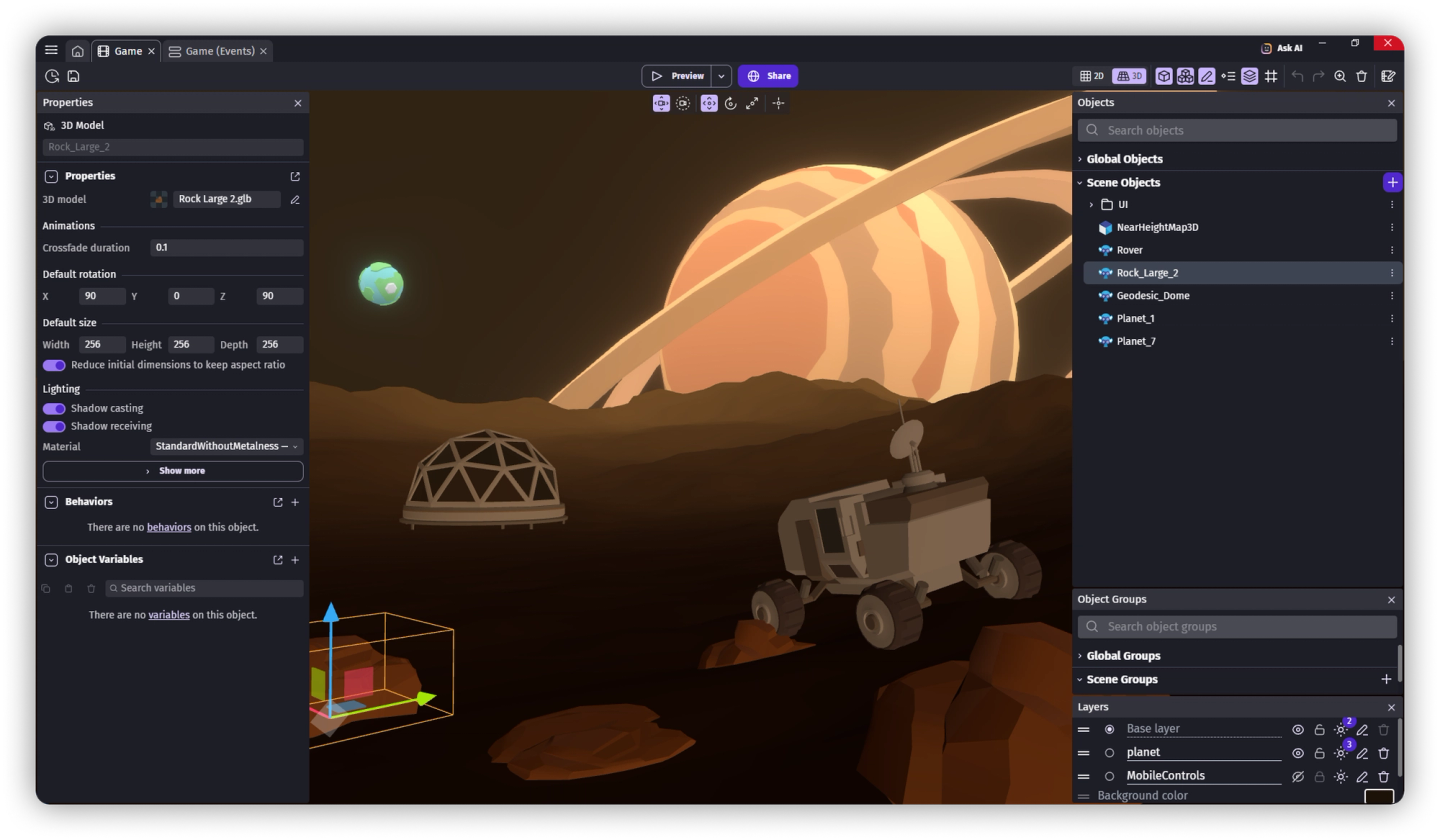
Performance optimizations
Early prototypes revealed a major bottleneck: every property change triggered a multi-second reload with a loading bar, unacceptable for a real-time editor. The culprit: the engine was reloading entire scenes and resources for every small changes.
We optimized the hot-reload system to only transmit essential datas, cutting reload times from several seconds to a few milliseconds. The 3D editor has a variable refresh rate system to balance CPU/GPU usage if the latter is not focused or in use.
These improvements made it possible to achieve true real-time scene editing with immediate feedback, even in complex environments.
Making the editor more immersive
To support a new 3D viewport, the interface underwent a small redesign.
The viewport now occupies the entire window, with contextual panels (properties, layers, objects) dynamically overlaying the 3D view.
This approach enables a "full-screen" experience. It also made to avoids costly re-rendering when resizing or moving user interface panels. Panels now keep their position even when you hide them, so we encourage your to customize your workspace and then hide/show panels when needed.
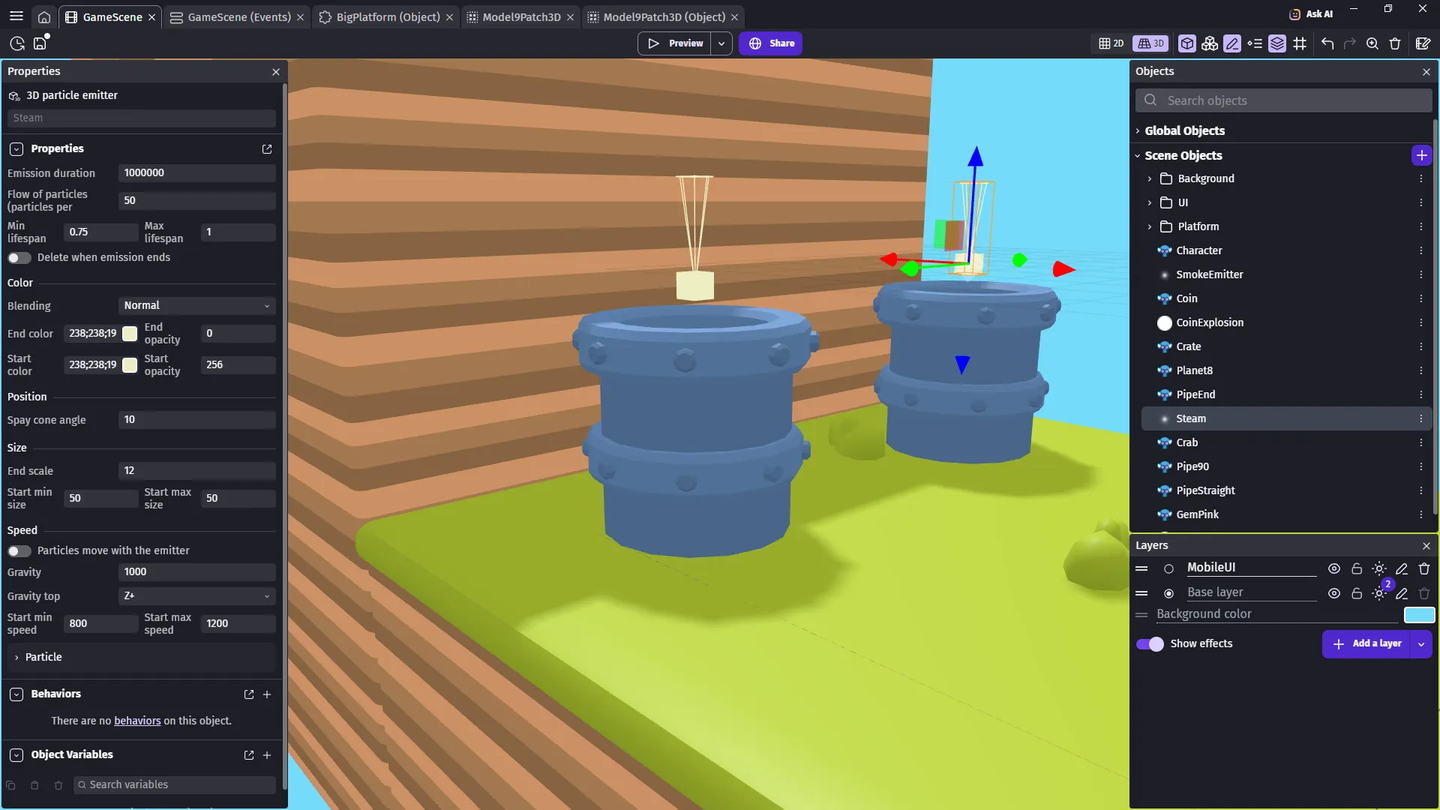
Building the 3D editor directly on top of the preview system enabled a major leap: you now see what you manipulate. Previously invisible placeholders from the 2D editor now appear as visual 3D representations. For instance, a 3D particle emitter now displays a cone representing its emission direction, fully visible and adjustable within the editor.
Extending the Possibilities
The new architecture also opens the door to extension-driven visualization.
Extensions can now be used to create custom rendering logic into the editor, something that was impossible in the previous 2D editor.
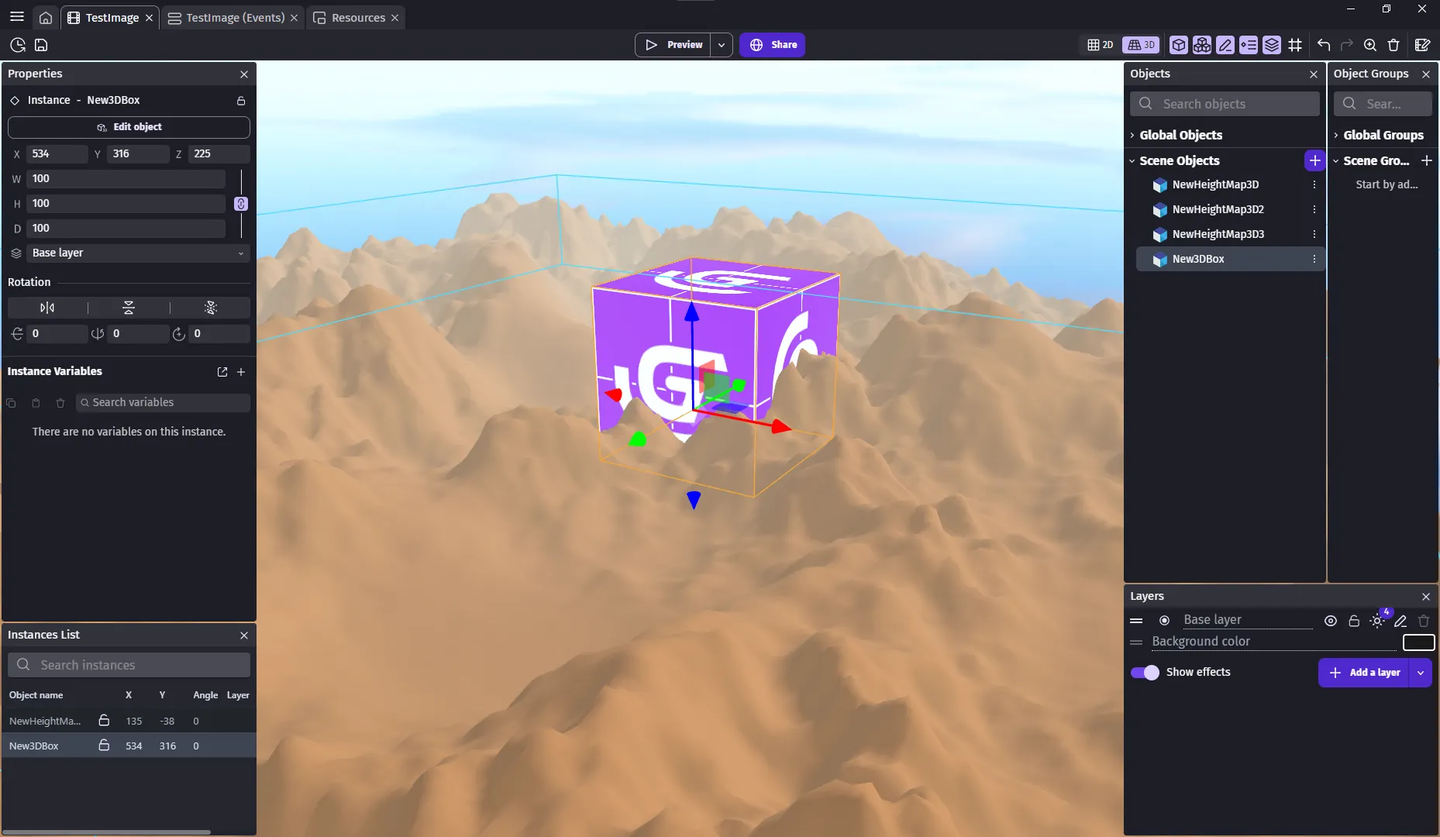
A perfect example is the 3D Height Map object: it generates and updates terrain geometry dynamically using JavaScript and Three.js. This can now be rendered in real-time in the 3D editor.
This is possible because the same code generation that works for the game and renders the game is used for the integrated editor.
Quick summary and what's next
GDevelop’s new 3D editor represents far more than a visual upgrade, it’s a complete architectural rework.
By embedding the editor inside the engine, optimizing real-time synchronization ("hot-reloading"), and enabling extension-based rendering, GDevelop now offers a fast and intuitive 3D creation experience.
The 3D editor is still new and there are many improvements that have been now unlocked thanks to its release:
- Full 2D/3D separation, allowing to edit 2D objects using the same real-time editor as the 3D editor.
- Point and spot light objects (and real-time preview of them in the editor),
- Normal mapping for 2D and 3D, and more improvements to the 3D rendering ("PBR rendering").
- Customizable editor UI, customizable shortcuts and extensions that can interact with the 3D editor or the editor UI.
- Custom shaders with an integrated editor, and support for shaders for 3D objects.
- Collision mesh and a preview of them directly in the editor for 3D objects.
- Basic meshes beyond cubes (a good open-source contribution opportunity!).
- Camera object (which can already be created with existing behaviors and a 3D cube).
- Better occlusion culling and very large scene optimisations (which will benefit both games and the editor).
- Layer effects and scene properties displayed in the properties panel so that everything (instances, effects, layers, scene properties) can be edited without opening a dialog and have the results visible in real-time.
Say soon bye bye to heavy dialogs!
In the meantime, please let us know if you encounter any issue so that the 3D editor is fully stable.
We have our ideas, but we also want to hear yours!
Join the conversation and spread the word with #GDevelop on our social media channels:
Thanks!