The GDevelop core team and contributors is thrilled to announce GDevelop 5.6. It comes with the most requested feature we've ever worked on: a complete real-time, 3D editor.
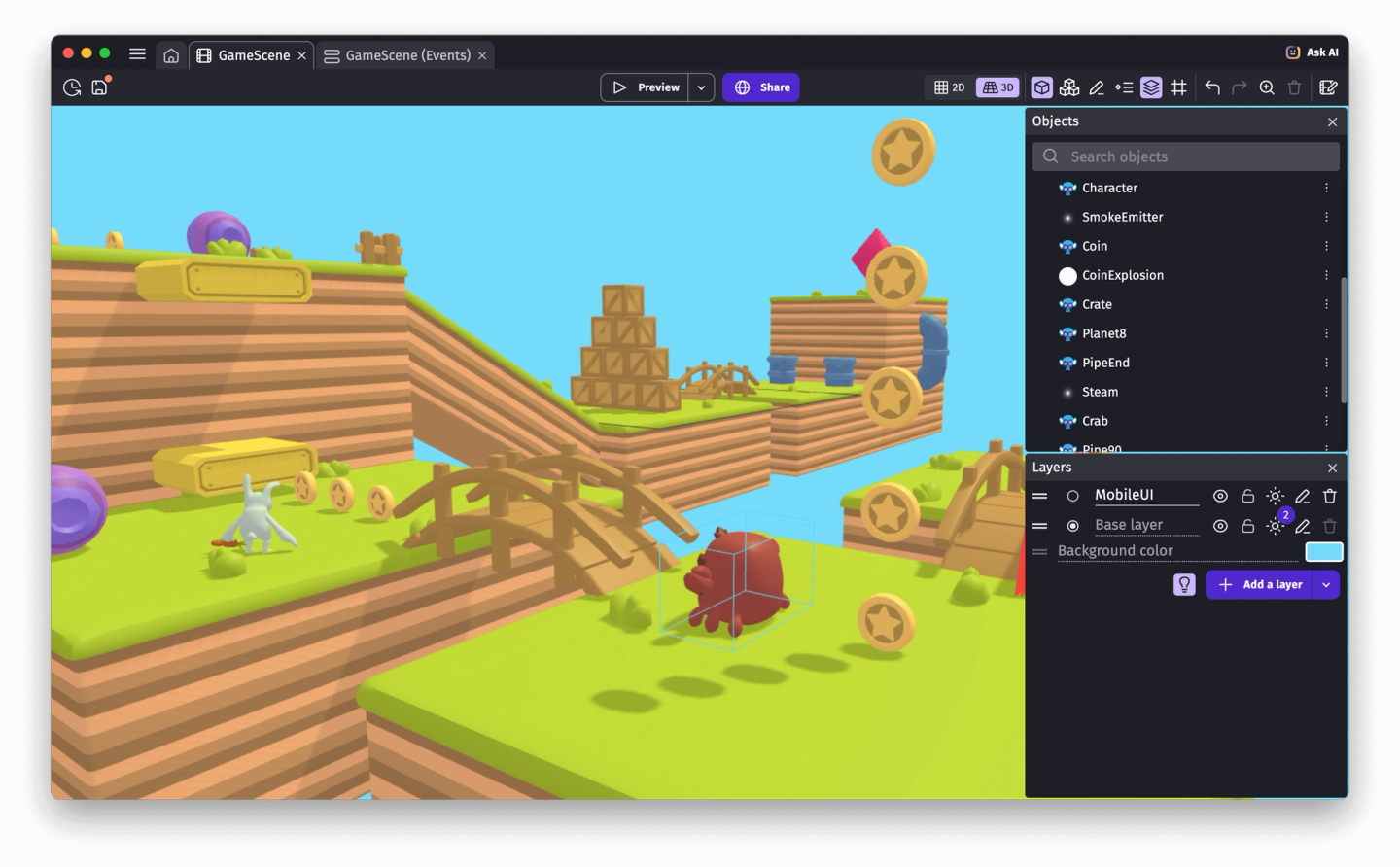
You can now see, explore and manipulate your 3D scenes exactly as they'll appear in the final game, right inside the editor.
The 3D editor is available as part of its open beta phase. It makes GDevelop now fully ready to help you build ambitious 3D games and experiences.
This is possible thanks to all the existing GDevelop 3D features: performant, battle-tested 3D physics (based on Jolt Physics), support for shadows, 3D models with animations and crossfade support, save states (full or partial game snapshots), 3D particle emitters, skyboxes but also a lot of ready-to-use behaviors: 3D characters, 3D cars, third person cameras and many more.
Let's dive into how this 3D editor works and the future improvements we're planning!
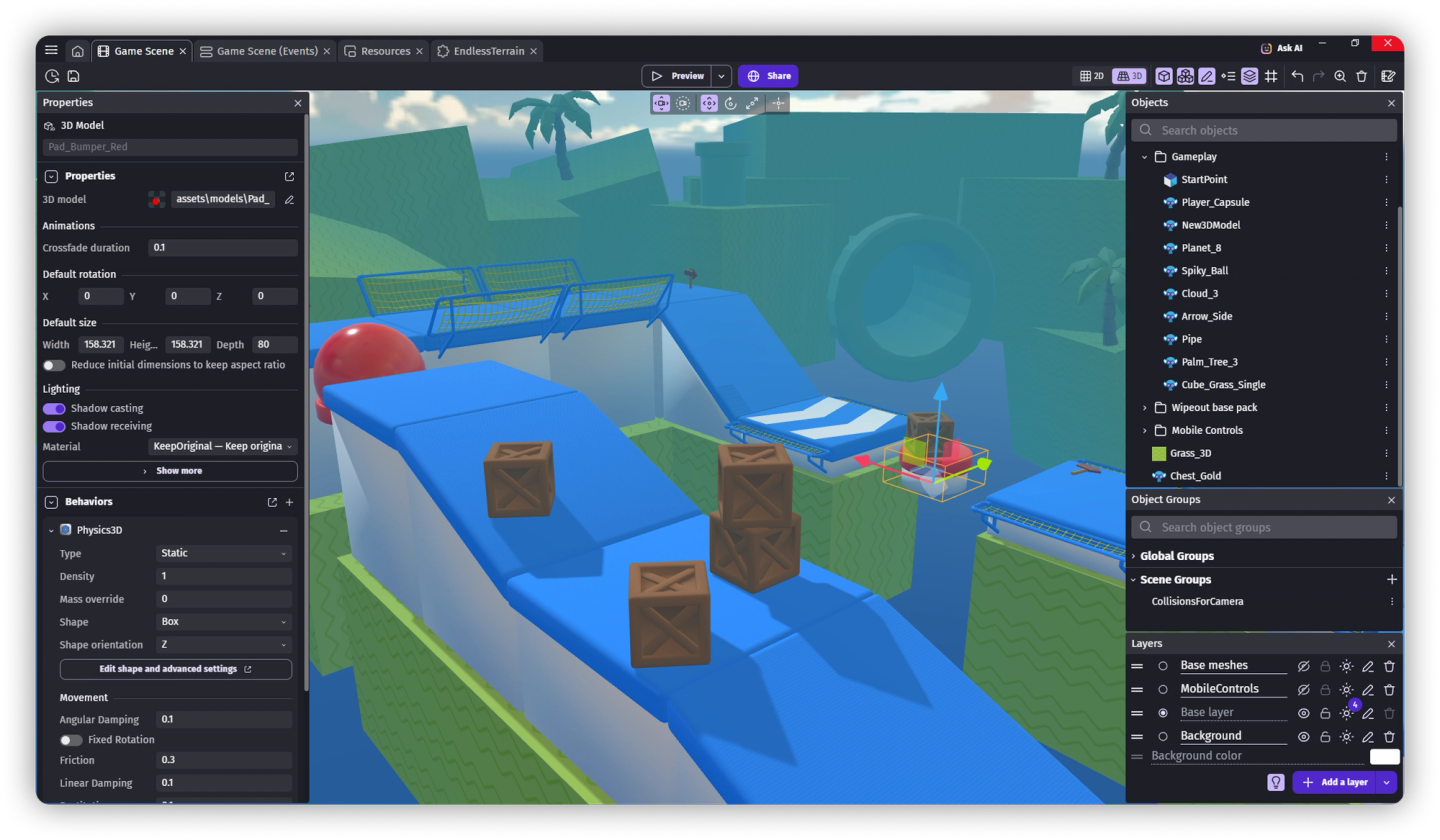
Navigate your game 3D world
The 3D editor has 2 camera modes to explore your scenes:
- Free camera mode: Fly in the scene, moving the camera with the keyboard WASD or arrow keys, or the mouse wheel. Use the mouse right click to turn the view around.
- Orbital camera: Rotate around a point in space to examine an area without selecting anything. Press F to focus the selected object and automatically switch to the Orbital camera.
Whether you're building a sprawling open world or fine-tuning a small arena, these camera controls give you the flexibility to find the right angle.
If your computer or device has a touchscreen, you can use one finger to select objects and move them, two to move around/zoom and three to turn the camera.
Move objects to build your level
Positioning 3D objects is now way more intuitive:
- Gizmo controls: Click and drag the arrows to move objects precisely along any axis. Use the rotate or scale tools, in the toolbar, to position or resize objects.
- Projection movement: Grab an object using the handle at the center of the gizmo and drag objects naturally — they'll automatically project onto the ground or other surfaces beneath them.
- Grid snapping: press Alt to toggle snapping objects to the customizable virtual grid.
Edit effects and properties in real time
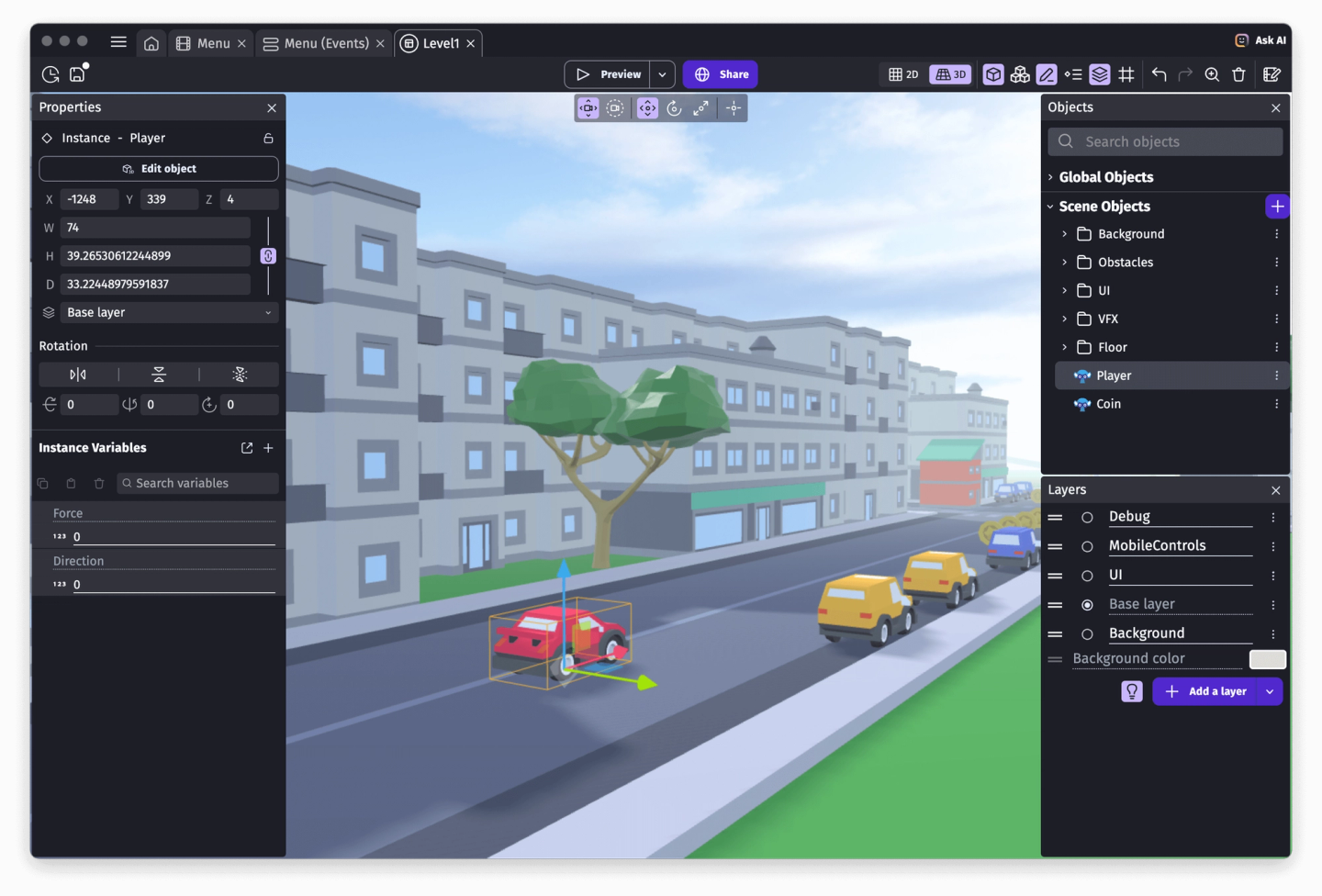
Along with the ability to move in the 3D space, the biggest advantage of the new 3D editor is that shows everything exactly as it will appear in the game:
- Visual effects: See layer effects and object effects applied in real time
- Dynamic lighting: Watch as lights illuminate your scene with realistic shadows
- Skyboxes: Preview your atmospheric skybox directly in the editor
- Properties panel: Adjust colors, scales, rotations, and more in the sidebar and see changes instantly
Change an object's color, modify a texture or a 3D model, adjust a light's intensity, or tweak an effect parameter: the 3D editor updates immediately.
We're also working on making the scene, layer and effects accessible from the properties panel on the left. Once this is done, the creation workflow will be super fast for everything in a 3D scene.
Jump-start your 3D game with ready-to-use assets
The GDevelop Asset Store is packed with free 3D objects that you can drag and drop directly into your scenes. From characters and props to environmental pieces, everything is ready to use.
Plus, the GDevelop team has been creating new free 3D templates to help you get started even faster. These complete example projects showcase what's possible with GDevelop in 3D and give you a solid foundation to build upon. Find them by clicking "Create new game" in the Create section.
Modular game creation with custom objects
The new editor renders the complete 3D scene, and so fits nicely with GDevelop features to build games in a modular way:
- Custom objects ("prefabs") are "composite objects", built with one or more other objects and optionally some logic. Think of them as objects containing their own scene inside. They can now be edited in 3D exactly like a traditional scene.
- When navigating outside of a custom object, they are now rendered in the scenes using it (and in other custom objects that also embed it) exactly like in the game.
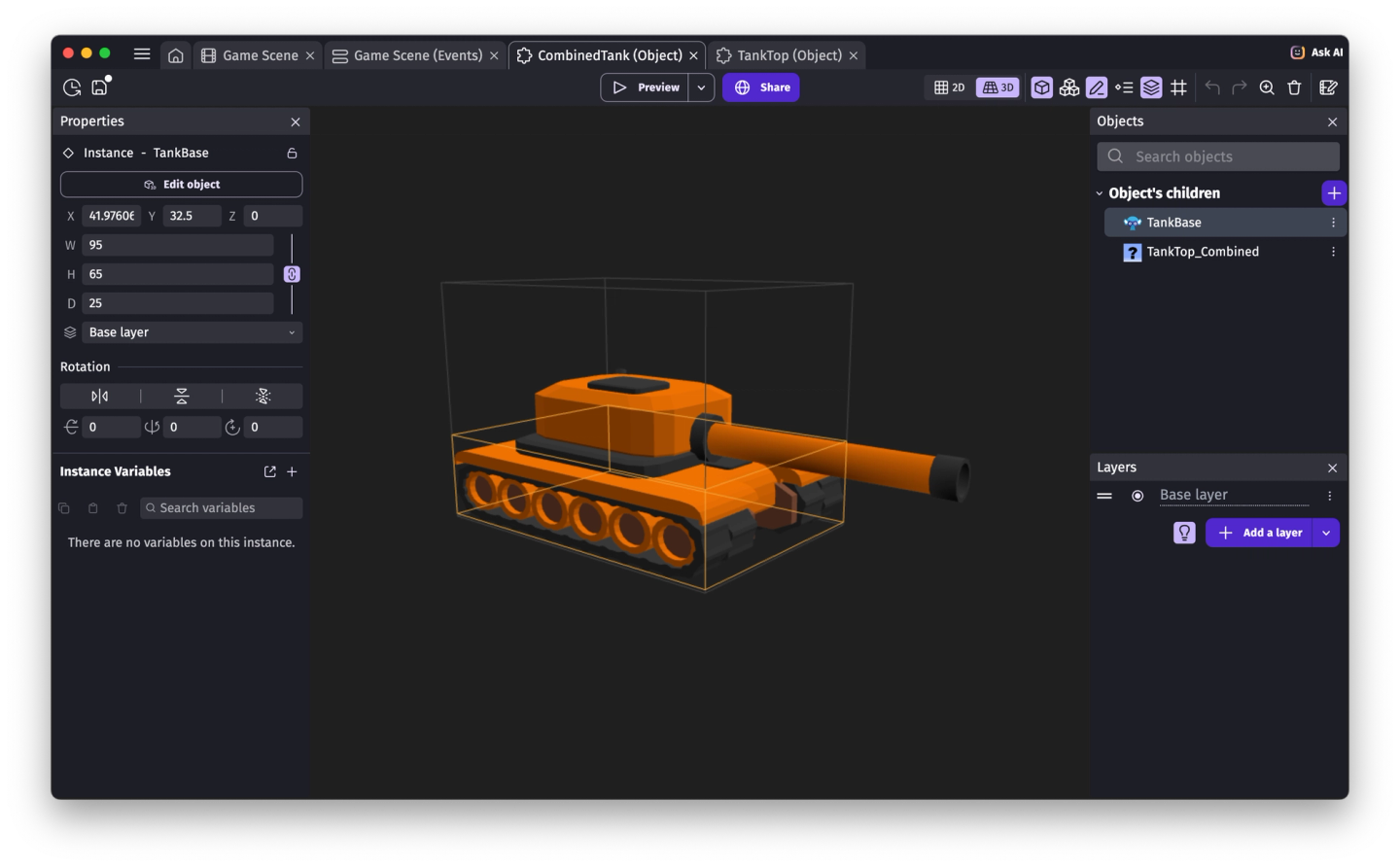
This allows to build very powerful objects and visualization, without increasing the complexity of your scene. Here are some examples of objects that can take advantage of this system:
- 3D particle systems: Visualize particle emitters with directional cones showing exactly where particles will spawn
- Height maps and future advanced 3D objects: Dynamic terrain objects like the 3D Height Map extension can now display their actual geometry in the editor.
- Objects with moving parts, like a tank with a turret that can rotate.
2D objects are also visible in the scene when using the 3D editor: they appear on their own plane, like in the final game. In future updates, they'll become fully manipulable in the 3D view for a completely unified creation experience.
What's coming next
The 3D editor is a solid foundation for the future. Like everything with the GDevelop game engine, the 3D editor is open-source. It opens the door to even more powerful features we're planning:
- Full manipulation of 2D objects in the scene from the 3D editor,
- Support for point and spot light objects, with real-time preview of them in the editor,
- Collision meshes,
- Custom shaders that can be authored and previewed in real-time in the editor,
- Additional visualization options for custom extensions,
- More performance improvements and, obviously, bug fixes.
We've wrote more about the engineering behind GDevelop 3D editor in another blog article.
Start creating in 3D today
The 3D editor is available now in GDevelop 5.6. Whether you're building your first 3D game or expanding an existing project into new dimensions, now is the perfect time to dive in.
We can't wait to see what you create. Share your 3D creations with us on the GDevelop forum, Discord, or tag us on social media!
Happy creating,
The GDevelop team and contributors