Intro Tutorials
Learn the basics of GDevelop and game creation. Covering everything you need to know to start making your own game today.
VideoFree
Start exactly where you are. Welcome to the game dev journey.
Meet your creative toolkit and make your first steps inside the editor.
Learn the basics of GDevelop and game creation. Covering everything you need to know to start making your own game today.
Learn more about specific features and tools in the engine.
Learn more game focused concepts. Like how to make multiple levels, or set up timers, a leaderboard, touch controls, use the physics engine and more.
These advanced tutorials go over advanced ways of using the game engine, and help you create more complicated games.
This video quickly goes over the most commonly used objects in GDevelop, and how each object would be used in a game.
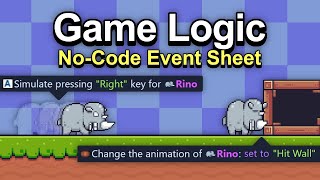
This video goes over the no-code event system in GDevelop, and quickly explains how to use, navigate, and organize your events.
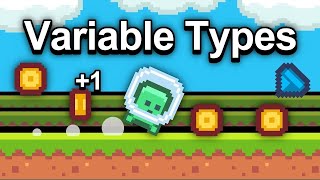
This video goes over the different types and scopes of variables, and how you would use them inside of a game.
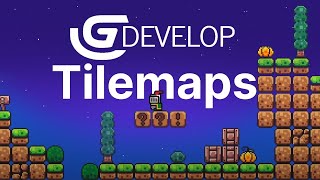
Tilemaps are efficient and easy to use, which makes them great for building out levels in your game.
Learn what makes the expression builder one of the most useful tools in the engine.
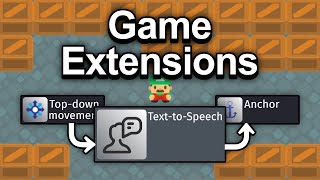
This video explains what extensions and behaviors are, and why they're such a powerful tool for game development.
This video goes over GDevelop's custom objects, also known as prefabs, and briefly shows how to create your own custom object with its own custom actions and conditions.
This video goes over the sprite object and its collision masks, points, and animations while explaining the use cases for those tools.
This video goes over the platformer behavior. How to use it, and the events relate to the behavior.
This video goes over the top down movement behavior. How to use it, and the events related to the behavior.
This video goes over the basics of the particle emitter object in GDevelop. Explaining what the various options do, and some examples of how to use it.
This video goes over the basics of the 2D physics engine in GDevelop. Explaining what the various options do, and some examples of how to use it.
This video goes over the basics of the tween behavior, and briefly goes over some simple juicy game effects and animations.
This video goes over camera controls within the GDevelop game engine. Going over camera movement, zoom, rotation, and camera shake.
This video shows the actions and conditions related to animations for a sprite object. How to change an animation by it's name or number in order. As well as how toggling/cycling object states with variables can be used in a game.
This video goes over some commonly used expressions, that you will find useful for your games in GDevelop. Showing you where you would use these useful expressions, and why.
This video shows how to create basic touch screen controls, using them to control a platformer character. It also teaches the viewer how to set up your game to expand to fill up the entire screen regardless of the original resolution using the anchor behavior.
Everything from pinch and zoom to joystick controls, GDevelop has wide range of tools for controlling your mobile game.
Create levels and reusable UI without copy pasting everything between scenes, with GDevelop's external events and layouts.
As you transcend the basics of GDevelop, you'll want to have things stay the same each time someone opens your game. In this video, we take a look at how to accomplish exactly this!
In this tutorial, we cover the object picking system, which is integral to certain kinds of game behaviors, such as checkpoint systems for instance!
This video goes over some of the events related to the physics engine in GDevelop. Explaining what forces and impulses are used for, and going over a use case for the revolute joint.(Pinball)
This video goes over timers and the new wait action within the GDevelop game engine. Going over both timers by explaining how they're different, and showing some use cases for each. Including using the timers to control the firerate of a gun, and using the wait action to delay sections of a count down timer.
The newest GDevelop feature makes 3D physics possible in GDevelop. Physics games are inherently fun, and this feature makes creating physics games just as much fun.
This video shows how to toggle the state of an object, in this case a mute button, using a variable. As well as how toggling/cycling object states with variables can be used in a game.
As you begin making more advanced games with GDevelop, you'll want to learn this trick to save/load all of your variables with just 3 actions. This will allow you to develop larger games without the worry of your save/load system getting too out of hand.
How can you use Javascript in GDevelop?
Discover GDevelop Prefabs to speed up your game development journey.
Are you a beginner in game development? Get familiar with the basics here.
Lerne die Grundlagen der Spieleentwicklung mit GDevelop, um dein erstes Casual Game zu erstellen, zu verfeinern und zu veröffentlichen.
Füge eine 3D-Box hinzu
Verwende ein Verhalten, um ein Objekt als Plattform zu markieren.
Verwenden Sie ein Verhalten, um eine Top-Down-Figur zu steuern.
Verwenden und Bearbeiten eines Tilemap-Objekts.
Build the logic behind the play and learn to set up game's interactions.
Learn how to quickly create essential game mechanics.
Watch bite sized lessons related to GDevelop. How to properly smooth images, create transitions, and much more.
Add multiplayer to your game with this series of tutorials that cover the built-in multiplayer system in GDevelop.
The way you decide to organize the levels in your game can really set you up for success or failure. Before you create the 100+ levels for your game, follow this video's format to save yourself from gamedev hell.
This video goes over all of the "built-in" behaviors in the engine, briefly showing how they work, as well as a number of behaviors that work along with those behaviors to create interesting mechanics without needing to use events.
We go over a number of simple game enemies, and then a couple more advanced versions that use similar mechanics to enemies in Mario and Hollow Knight. We create AI for patrolling enemies, flying enemies, and enemies that wait in place to attack the player.
Game development seems complicated, but it's much easier when you break your game mechanics into manageable chunks, instead of thinking of them as one big mechanic. This video tackles the issue from the lens of developers working with GDevelop.
This new update makes managing the health and stats of your characters, enemies, and object in game much easier! We show how to make a juicy hit, and then use the health extension to modify how the hit works with the player.
This video shows 1 of the many ways there are to set up a boss fight. It goes over randomly picking behaviors from a set list you've created, and expanding on that list of boss behaviors and as the boss loses health.
Extensions make game development a LOT easier, giving you functionality that you would otherwise have to create yourself. Saving you time and energy in the process of developing your game. This video was created to show you the most commonly used extensions in the GDevelop game engine, which is a no-code, open-source, free, and easy game engine.
RNG is a useful tool for gamedevs, especially with roguelikes or games with repetition as part of their game loop. Loot drops, enemy behavior, and level generation can all be forms of randomization. And in this video we tackle some of the simplest forms of RNG to help get your game started.
Randomly generated content in video games can create a lot of variety for your players. In this video we talk about 3 different ways to randomly generate levels in your game.
This video shows game developers using GDevelop how to easily implement melee combat in their game. Showing two different kinds of attacks, and how to make enemies attack the player.
Create a simple breakout game where you must destroy all the bricks on the screen.
Saving and loading many objects in your game scene, so your objects can be persistent even after changing scene in your game, can be a tricky thing to do. This short tutorial video goes over the easiest way to save the name, position, and more properties into an array to use when loading object back in to your game
Learn how to use audio in your game.
Find the extensions you need for you next game.
Learn how to integrate Google AdMob to your game
Read about how to query a database from within your game.
Lernen Sie die Grundlagen der JavaScript-Programmierung, um Ihre GDevelop-Spiele zu verbessern.
Objekte beim Zusammenstoß verschwinden oder erscheinen lassen
Einen Text erstellen und ändern
Verwende ein vorgefertigtes Modell für eine Gesundheitsleiste
Füge ein Joystick-Prefab hinzu
Verwenden Sie ein Verhalten, um eine Kugel abzufeuern.
Wie man das Multiplayer-Verhalten hinzufügt und konfiguriert
Fine-tune your gameplay and smooth out the player experience.
This video teaches GDevelop users about game optimization, and briefly goes over most of the areas that could be causing lag or poor performance in your game.
This video goes over resource loading and how to create a custom loading screen to show between scenes.
Showing some of the tools you can use in GDevelop that will allow you to fix any problem you might run into while creating your game. Gamedev is stressful enough, use these development tools to help you create your dream game with less of a headache.
Improve game feel (Or Juice) by doing 4 of these 6 things, and then the other 2 will help you get and retain players for your game. Wikipedia says that "Game feel (sometimes referred to as "game juice") is the intangible, tactile sensation experienced when interacting with video games." But there are a number of common things that developers do the make games feel more fun to interact with. So in this video we'll explain those to help you make a better game, get more players for your game, and retain those players for longer.
Particle effects, tweens, object and camera shake, all manner of visual effects are used to turn bland static games in to more interesting titles.
Create a playable game for everyone in an intuitive and comprehensive way with these five tips and common mistakes to avoid to enhance your game. How to keep the players playing longer your game, why a good intro for your game is important, and how to make gameplay moments more immersive by getting players emotionally engaged.
Creating a game is an exciting journey that opens up a world of possibilities. These best practices when making games guide will help you to bring our vision to life and create the best experiences for our players. Let's explore the essential knowledge you need to make your first game good and entertaining.
Game feel, or game juice, is that extra bit of polish that helps make a game go from "good" to great. In this video we'll cover and show examples of the different effects that add to game feel.
Verstehen Sie die grundlegenden Konzepte der Spielgrafik und verbessern Sie die visuelle Anziehungskraft Ihres Spiels.
Lerne die Grundlagen guten Sounddesigns für Spiele und wende sie in deinen eigenen GDevelop-Projekten an.
Verstehen Sie die grundlegenden Konzepte der Mensch-Maschine-Interaktion und verbessern Sie die Bindung Ihrer Spieler.
Behebe unleserlichen Kleinsttext, entmystifiziere Schriftstile und entdecke die geheime Macht der Typografie im Storytelling.
Füge einen Hintergrund mit Parallax-Effekt hinzu
A demo showing how to enhance the "game feel" of your project: VFX, shot trail, ambient sounds and SFX, screenshake, wobble...
A demo of various high quality particle effects (fire, magic, snow, rune spell...) that you can try and use in your game.
Share your project with the world and learn how to promote your game.
In this video we'll talk about exporting your game from GDevelop. Explaining how to set their game icons and thumbnails, as well as picking their game properties.
This video shows how easy it is to publish your game on gd.games, formerly known as liluo, GDevelop's game hosting platform.
Making money from your video games is possible and there are lots of ways to do it. This video quickly goes over 4 of the most straight forward ways to earn money through game development.
Get your game in front of a larger audience by doing these 5 things. Developing a good game is only half the battle, getting that good game in front of more people increases the chance your game will be a hit. Marketing and sharing your game can be just as much work as creating the game in the first place.
Learn where to publish your game and the associated process to do so.
Learn the steps to publish your game on Steam.
Discover how to make your game appear on the Epic Games store.
Read this quick guide about publishing your game on Newgrounds
Want your game to be played on iPhones and iPads? Read this guide.
Export your game for Android in 3 clicks.
Learn about how to publish your game on the Amazon App Store
Learn how to make your game available for Windows, Mac and Linux
Host your game on your personal or company server
Lernen Sie, wie Sie Ihr Spiel vermarkten und verkaufen, von der Community-Bildung bis zum Start auf Plattformen.
Learn from finished projects and discover how to structure popular game genres.
This video goes over all of the basics of creating a platformer game, from character movement, to enemies and sound effects.
Create a wave defense game without coding, using GDevelop. We'll try to cover everything in this series from basic gun mechanics to enemies and more. These tutorials are designed to teach you how to make a game in GDevelop, a no-code, open-source, free, and easy game engine.
Follow these example game tutorials designed to teach you how to make a game from scratch.
How to make Zelda without coding. Covering the basics of top-down character movement and animations, as well as iconic features like picking up and throwing pots.
Learn how to make a tower defense game similar to Bloons TD or Kingdom Rush with this game development tutorial. Discover how to implement game mechanics like spawning waves of enemies, moving them to different waypoints, and utilizing the new array tool conditions/actions.
Learn how to make a Platformer game from scratch! Starting from zero, you will learn how to make a fun platform game, using assets found in the GDevelop asset store.
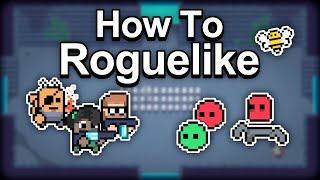
Roguelikes are deceptively simple to make. The two main features of modern day roguelikes are permadeath and randomized levels, so once you've created the base mechanics of the game you can just layer on new things to that core gameplay loop.
Idle clicker games are incredibly popular, and surprisingly easy to make. So in this video we show how to add clicker game mechanics to your game with GDevelop.
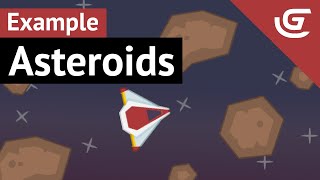
Learn how to make the Asteroids game! Starting from zero, these videos will teach you how to make this game.
Creating a cyberpunk racing game with mobile touch screen controls. Game developers will be familiar with this obstacle dodging gameplay, but with good art and some game juice, you can create a compelling gameplay experience.
Sokoban games are block pushing puzzle games, where the levels are small, and the player needs to figure out which sequence of pushes will result in them winning the game.
Metroidvania games all have 1 thing in common, the game worlds consist of a series of locks(Things you can't pass yet) and keys(The tool you needed to get passed it). So in this video we show game developers just how easy it is to create this sort of system in GDevelop using Boolean variables to unlock abilities, get over obstacles, and unlock doors.
City building games like Sim City have lots of individual mechanics that come together to create something fun. In this video we're going to show how simple the basics of creating a city builder can be.
Stardew Valley is a great game created by a solo developer, and we thought it would be useful for game developers to see a video explaining some of it's mechanics, and how to add those mechanics to their game in GDevelop.
Make a hyper-casual mobile game where the player must grab shapes and avoid bombs.
With Pokemon scarlet and violet coming out, we decided show game developers how to go about creating a top down rpg game in GDevelop. With top down movement and turn based battles, similar to pokemon.
In this video we'll be creating a platformer, using the platformer behavior that comes with GDevelop by default. We'll be going through this tutorial at a fairly quick pace because you should have watched the other tutorials before watching this video.
In this video we'll be adding 2 types of enemies to our platformer game. We'll be going through this tutorial at a fairly quick pace because you should have watched our other tutorials before watching this video.
In this platformer example video we'll be going over ladders, a checkpoint system, the parallaxing background, and a win screen with a points system. We'll be going through this tutorial at a fairly quick pace because you should have watched our other tutorials before watching this video.
In this video we'll be recreating asteroids using the physics behavior that comes with GDevelop by default. We'll be going through this tutorial at a fairly quick pace because you should have watched the intro tutorial playlist before watching this video.
In this video we'll be adding game juice. Which is basically particle effects, sound effects, screen shake, and everything that makes a game feel good to play. If you haven't watched the first video in this 2 part series, be sure to do so because it goes over how we actually built this game.
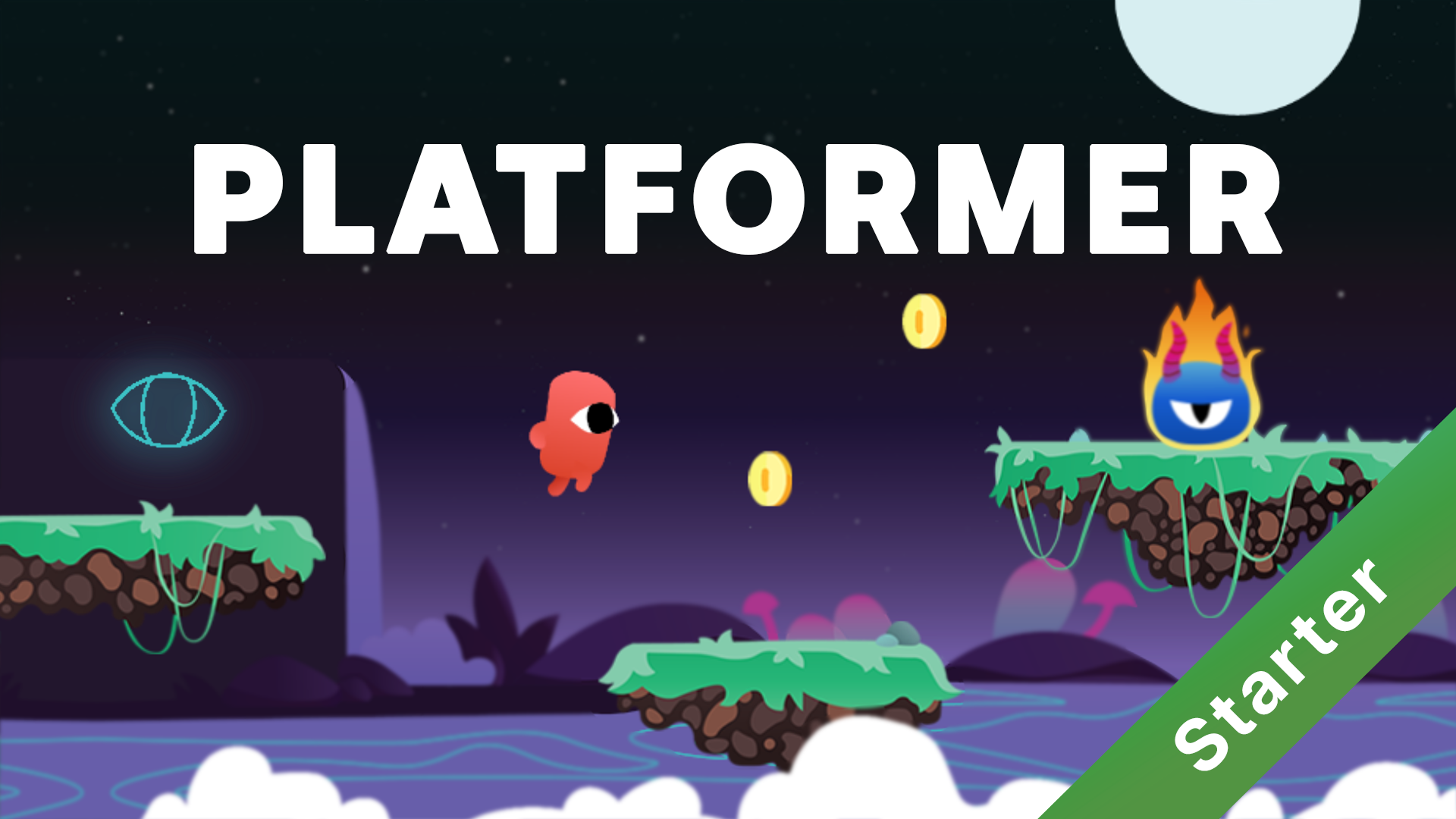
Make a platform game from scratch.
Make a space shooter game from scratch.
Make a simple tank shooter game from scratch.
Make a simple game where the player must jump on platforms for as long as possible.
Create a simple game where you must dodge the cars on the road.
Erstelle dein 3D-Spiel im GTA-Stil: renne, fahre und kämpfe gegen Zombies.
Lernen Sie, wie Sie Schritt für Schritt ein Roguelike-Spiel mit GDevelop erstellen.
Lernen Sie, wie Sie Schritt für Schritt ein Plattformspiel mit GDevelop erstellen.
A 3D lane runner game that shows how to use the platformer behavior in a 3D space.
A top-down 3D racing game with 360° controls where players are driving through a city to collect coins.
Shoot the blocks before they touch the ground. Earn extra balls and destroy the blocks by aiming carefully. This is a game template made with GDevelop, the no-code open-source game engine.
A Frogger-like similar to the mobile game "Crossy Road" with endless random level generation.
An online multiplayer platformer game where you fight by shooting arrows at each other, and picking them up again.
In this game the player drops their pachinko ball in an effort to hit as many pegs as possible to accumulate the maximum number of points. This game exhibits a scoring system, a score multiplier, the physics options, the leaderboard system, and more.
A 3D tile based city builder example that shows how to angle a 3D camera, select/deselect, and purchase building types. As well as checking how many of an instance of an object is in scene, in order to calculate cost and income based on the type of buildings.
The game is a cross between the binding of isaac and nuclear throne, with sprinkles of originality tossed in.
Eat as much fish as possible to survive in a game inspired from Hungry Shark.
A multiplayer puzzle game where you have to place obstacles to make the ball bounce and reach the goal.
Sokoban is a puzzle video game where the player pushes boxes around, trying to get them to specific locations. The game was designed in 1981 by Hiroyuki Imabayashi, and first published in December 1982.
A bomberman-like game for up to 4 players with procedural animations and particles.
An online multiplayer physics game where you try to collect all of the apples in the game without throwing your keyboard through your monitor.
Tappy Plane is a Flappy Bird-like game. Tap to keep your plane in the air and make your way through the cave system. Get as far as you can before you crash in to a wall, submit your score, and try again.
A 3D shooting gallery game example featuring a timer, score system, 3D first person movement on the X and Y planes, pointer lock, and hitscan gun mechanics.
Based on the classic game Pong, Paddle Battle is a simple multiplayer game where two players compete to bounce a ball off their paddle.
An example of a basic platformer (Mario-like) game. Jump around and collect as many coins as you can!
An arcade racing game inspired from Out Run.
A multiplayer platformer game where up to 4 players work together to collect all of the coins.
Swipe cars into the road to clear the parking lot. Relieve stress by crashing the cars into each other. Enable speedrun mode to compete on the leaderboard!
Control a ball, and make it bounce clouds and hook stars through multiple levels.
A monster tamer style top down rpg game example. Including top down movement, scrolling text during chat, camera controls, and a simple battle sequence.
Try to cross the finish line as fast as possible without falling over! And remember to pedal safe!
This is the DUCK game. An epic Duck platformer all about finding a key and escaping. And finding love.
A beautiful, retro side-scrolling shooter where you must defeat incoming enemies with your mecha transforming spaceship. Huge boss included!
An example of a 2D isometric game, showing how to build an isometric world and handle characters movement.
Sort 4 balls of the same color into a cup to make it explode. Complete all 10 levels to complete the game and climb the leaderboards!
Game example of a runner game where players must avoid obstacles and pick up rewards. When a player dies, they can submit their score to the game's leaderboard.
A simple platformer example game where the player can pick up coins to improve their score and die to an enemy character or by falling off of platforms.
Propel your object to absorb smaller objects, but avoid larger objects or they will absorb you!
Juicy remake of the classic asteroids game using the physics 2.0 behavior.
A Zuma clone to show how to orginize a project with behaviors.
A hyper casual endless game where you have to collect shapes and avoid bombs, with a progressively increasing difficulty.
Find all matching pairs of cards in this relaxing game. Use tweens to create smooth, natural animations with a few events.
Create a wave defense game without coding, using GDevelop. This beginner-friendly example covers player movement, firing a bullet, enemy logic, leveling up character stats, mobile controls, and spawning the enemies.
Sokoban is a puzzle video game where the player pushes boxes around, trying to get them to specific locations. The game was designed in 1981 by Hiroyuki Imabayashi, and first published in December 1982.
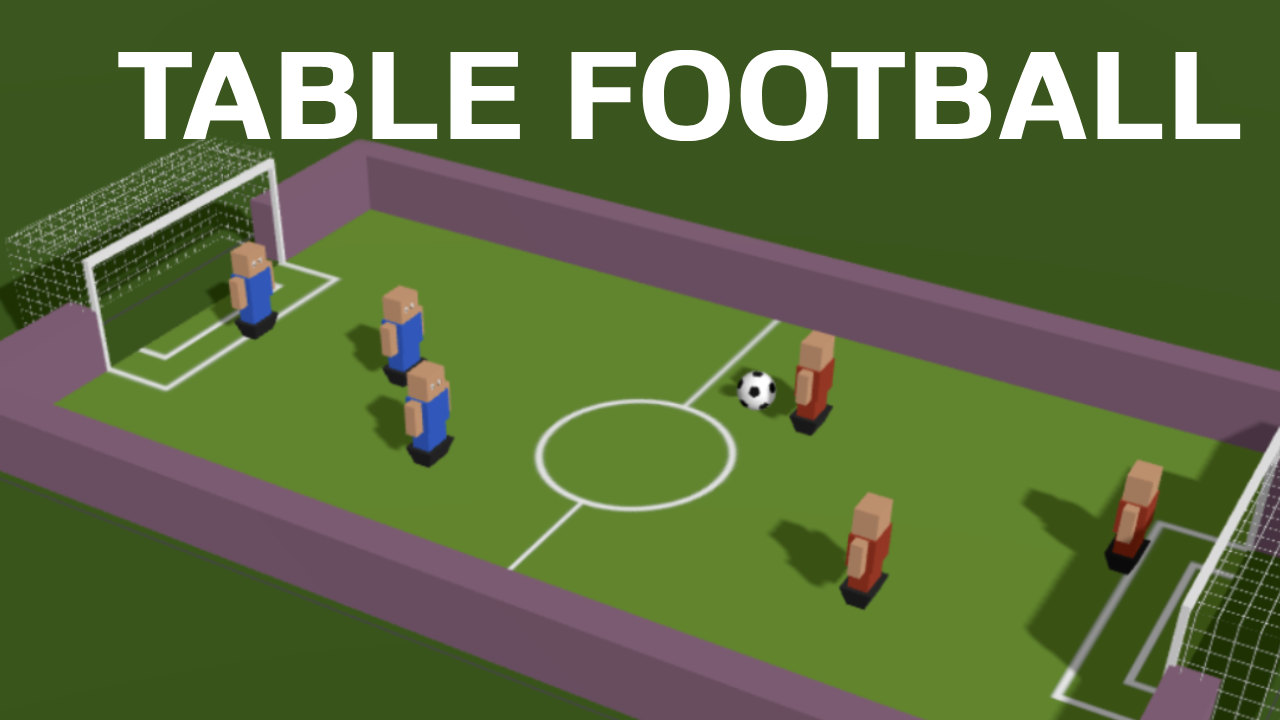
A 3D table soccer (foosball/babyfoot) game optimized for mobile devices.
Show how to use the "Object Stack" extension to make a Klondike Solitaire card game.
Show how to use the "Marching Squares" extension to paint territories.
Building upon the sokoban example, it adds mechanics similar to Baba is You, a hit indie puzzle game made by Arvi Teikari in 2019.
A tile based city builder example that shows how to select, deselect, and purchase building types. As well as checking how many of an instance of an object is in scene, in order to calculate cost and income based on the type of buildings.
This project is meant as a game example or template for a more advanced platformer. This is in the style of older castlevania entries, such as Castlevania 1 or 3.
A Bust-a-Move clone to show how to make a match 3 game.
The classic Breakout arcade game adapted in GDevelop. Read the tutorial about it to learn how to make a game like this.
A bomberman-like game where each player controls a goose. Includes a title screen where you can choose the map and between 2 to 4 players, and bonuses.
A 3D first person movement example featuring 3D first person movement on the X and Y planes, the pointer lock extension, and mobile controls
A complete demo of a Tetris game, with all the concepts of modern Tetris such as SRS (Super Rotation System) and ghost piece, with high scores, music, sound effects.
The game is a cross between the binding of isaac and nuclear throne, with sprinkles of originality tossed in.
An example of project with Spine object used. Player needs to resolve simple math tasks quickly in order to find the lowest value. What is demonstrated in this project:
Showcase all the features from the CrazyGames SDK V3 extension. The project can be exported as HTML5 game to be imported in the QA tools on CrazyGames website.
A 3D first person platformer with wall sliding.
Erdenke deine Spiele und veröffentliche sie mit GDevelop. Leg los mit den Tutorials und den zahlreichen Beispielen in der App.