Today, we speak to Brandon about using GDevelop to create teaching materials for Japanese kids learning English as a second language.
-
How has GDevelop’s flexibility allowed you to transition from teaching simple concepts like "emotions" to kindergarteners to complex grammar points for high schoolers using the same tool?
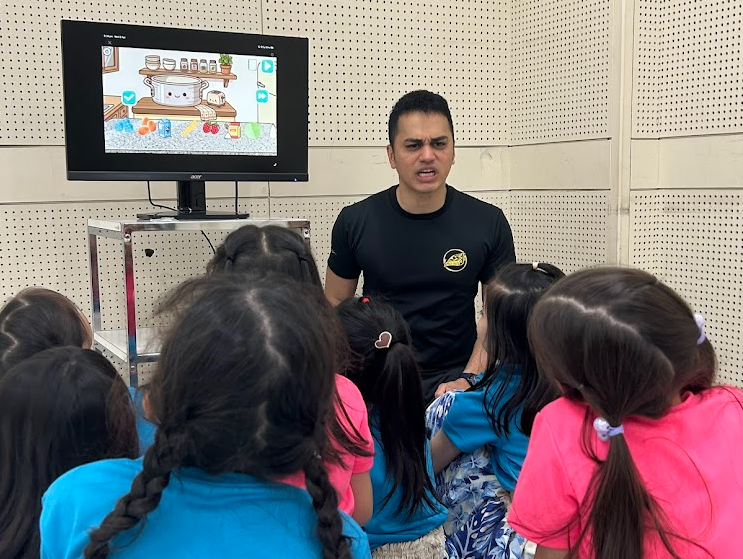
Making games to teach kids is what it's all about.
The flexibility of GDevelop was the main appeal for me from the get go. As a teacher, you’re always forced to operate within boxes, be it the textbook, PowerPoint, or proprietary software the school has licensed. Those all serve their purpose of making one particular aspect of teaching easier, but they’re all very limited by way of customization. So if you only rely on those resources, it’s easy to feel like your lessons are very cookie cutter, which can be demotivating for us, the teachers. But you’re also limited when you want to address a particular need, or appeal to certain interest that are unique to your class.
That’s what GDevelop allowed me to do. I don’t ultimately consider the games I make for young children and highschoolers to be that different, because in either case, my goal is simply to come up with a creative new setting for the students to practice a language point they’ve learned, be it emotions or advanced vocabulary. If there is a difference, it would probably be that, at the high school level, I find myself using more JSONs, having to create more menus, settings and the like to cover the broader scope of their studies.
So for instance, I import a spreadsheet of their word list as a JSON and use a custom flashcard app I made in GDevelop to drill vocabulary.
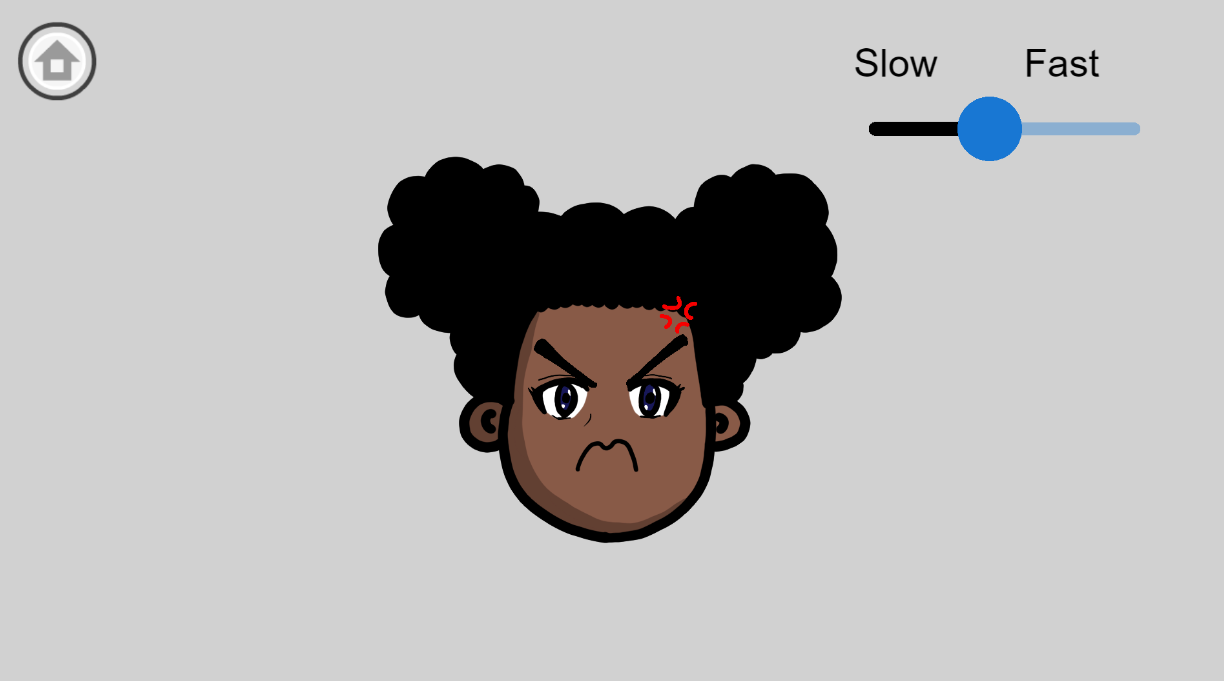
Teaching emotions to kindergarteners through games created with GDevelop.
You mentioned it’s often easier to build a resource in GDevelop than to find one online. Can you describe a specific lesson where a custom-built game solved a pedagogical problem that "ready-made" alternatives couldn't?
Absolutely. Both at the high school and kindergarten level, I do a “What’s this?” game to practice vocabulary. I show a blurred picture of the object and they guess what it is. It’s more fun for the students than the usual method of doing drills, and it gives them a visual to latch onto. I think a lot of teachers do some variation of this game.
In the past, I used to use Google Slides and an online photo editor to do this game. I’d upload the picture I wanted to use to the editor, apply a pixelate filter and then export that edited picture to use in my presentation. But sometimes, I’d need to give students a hint, and so I did this process 3 times to have three levels of pixelation. Then, I’d take everything into Google Slides, resize and center the photos and I’d be ready to play the game.
The biggest problem of course was that this took a LONG time to do. But also, the order was always the same, and students would simply memorize the order instead of thinking critically when we went back to the old vocabulary sets. And navigating among the sets was clunky, since it was all files on the desktop.
But with GDevelop, I automated the process to a point where, all I needed to do to add new words was add the photos. The images are automatically resized, have a sliding pixelation level I achieved with Object Effects, and all the sets live in a neat, easily navigable space.
For a busy educator, time is the most critical resource. On average, how long does it take you to go from a lesson plan idea to a functional, playable game ready for the classroom?
I’ve been using GDevelop for about 5 years now, so I’m comfortable with the engine and if I have an idea, I can get a functional version of the game off the ground in a couple of down periods at work. So maybe about two hours on average. Adding polish is usually what takes up most of my time, but to be honest, a lot of the time, the proof of concept version of the games get such a good response that I often leave them as is and move on to the next idea. I think a lot of solo developers can relate to that.
How does the "No-Code" nature of GDevelop’s event system benefit a teacher who may not have a background in computer science but needs to create precise interactive logic?
If you can describe the rules of a board game to someone, you can make a game in GDevelop. That is what the event system in GDevelop feels like to me. With the sheer amount of tools and extensions you have at hand, you can build out the logic for your game with expressions that are essentially just simple English.
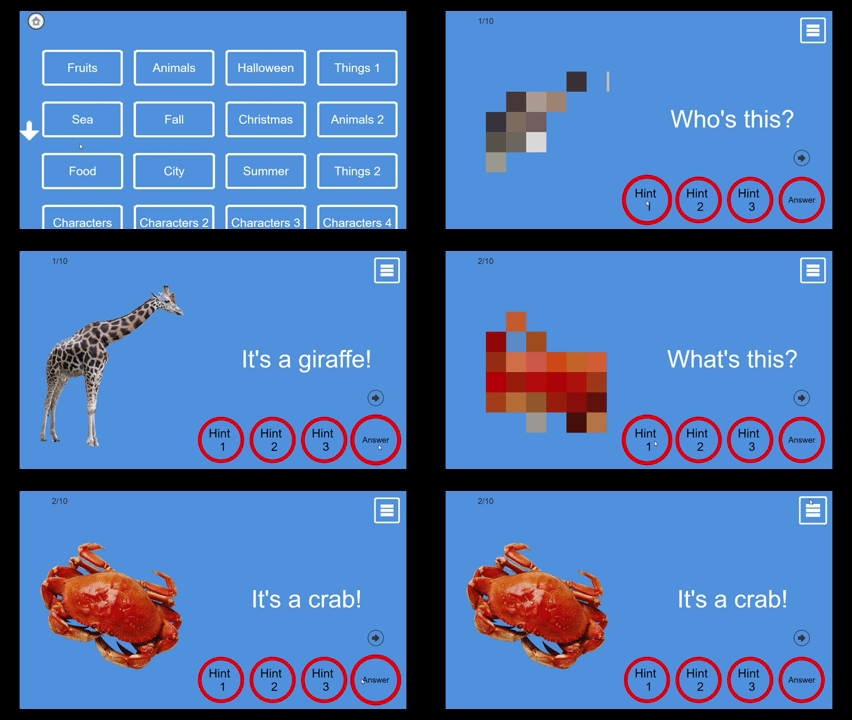
Pixelating is a great and easy way to make learning interactive.
In your English classes at Nitta High School, what immediate changes do you see in student engagement or retention when you switch from a traditional textbook to an interactive GDevelop resource?
It’s night and day. Obviously many students like playing games more than reading their textbooks. But that doesn’t mean we should throw out the textbook. Rather, students know that in order to play the game, they need to understand the points being made in the textbook. So the promise of the game is enough to lift the focus of the entire class. And yes, there are those students who will only snap back to reality once the game starts, and for them, the playing the game is when they’ll finally latch onto the main point of the lesson.
How do GDevelop’s visual and physics features help bridge the gap for students struggling with abstract concepts, such as prepositions or spatial vocabulary, compared to static images?
Prepositions in particular are a big stumbling block for Japanese students. Grammatically, the placement of prepositions is reversed in Japanese, so if I told my students “the red book is on top of the blue book,” their first intuition would be to think that the blue book was the one on top. It’s impossible for points like these to sink in without visual aids. And with the games I’ve made in GDevelop, they're not just passively seeing an illustration. The language they choose is dynamically changing the outcome of the game.
I have a game where there are some hidden creatures in a picture and students have to say where they think they’re hiding. So until they can figure out how to say “under the tree,” they can’t progress. It’s been a game changer for one of the most difficult concepts to teach.
Does the ability to "custom tailor" your games allow you to better navigate the specific cultural or linguistic challenges unique to Japanese students learning English?
Absolutely. I can give two examples. The first is with the flashcard app I mentioned earlier. I noticed that some of my students could memorize words by sight, but had a lot of difficulty pronouncing them. So using GDevelop, it was trivial to add a toggle which showed the pronunciation of the English words using Japanese syllabary—something that’s either impossible or a bit of a headache to do with ready-made apps.
And another example is in a cooking game I made, where students tell me what ingredients they want to put in the pot before we hit the “cook” button. Obviously, the foods common to a Japanese student is much different from an American, or Trinidadian student, so because I can tailor the game to my students, if they want to cook Okonomiyaki, ramen or sushi, they can do that!
In cases like those, I really value the degree of customization you can only get from having made the resource yourself.
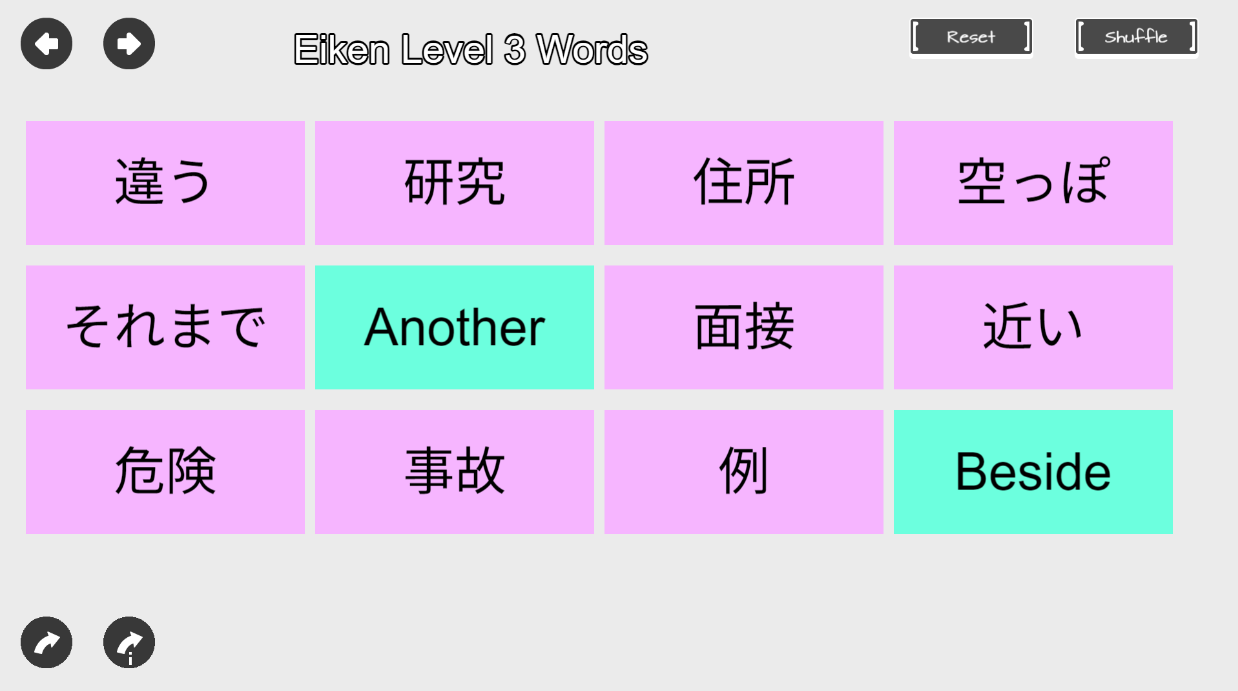
Making his own material, Brandon makes the best out of teaching English in Japan.
What is the reaction from your students when they realize that their own teacher is the developer behind the software they are using in class?
I don’t always mention that I made the software, but when I have, even the little ones who you’d think wouldn’t really care are impressed. I think the best feeling I’ve had was after a kindergarten student learned I was making the games we were playing in class, and requested I implement new features for his favorite ones. I think they wanted me to add a cake as one of the recipes in the cooking game. And to add “on fire” as one of the adjectives in a game I made where your character’s appearance changes based on what adjectives you use to describe them
For other non-STEM teachers who feel intimidated by the idea of "game development," what would you say was the most surprising or user-friendly aspect of starting with GDevelop?
A lot of the complicated things that you might think you have to build from scratch are already built and ready for you to use. You’re not going to need to have to figure out how to create a physics engine, or simulate a deck of cards, or learn how to set up a server. GDevelop has all those things in a neat little package ready for you to use. And if you want to go under the hood and customize things, you can do that too.
Looking at your success as a "Teacher-as-Creator," how do you see GDevelop changing the way educators approach curriculum design and digital resources in the future?
Even before computers, teachers have always been creators. We’ve been making lesson plans, materials, activities and games forever. But now, we have a new lane to create. And this digital space appeals to this generation of kids, doesn’t require you to spend your own money at the arts and crafts store, and importantly, can be easily shared with your peers in your institution and around the world so students everywhere can benefit.