
Free game template
UI prefabs
FreeOpen source, free to modify and publish
Open in GDevelop →
Opens GDevelop in your browser and creates a new game from this template.
- Project size
- Tiny
- License
- MIT
About this template
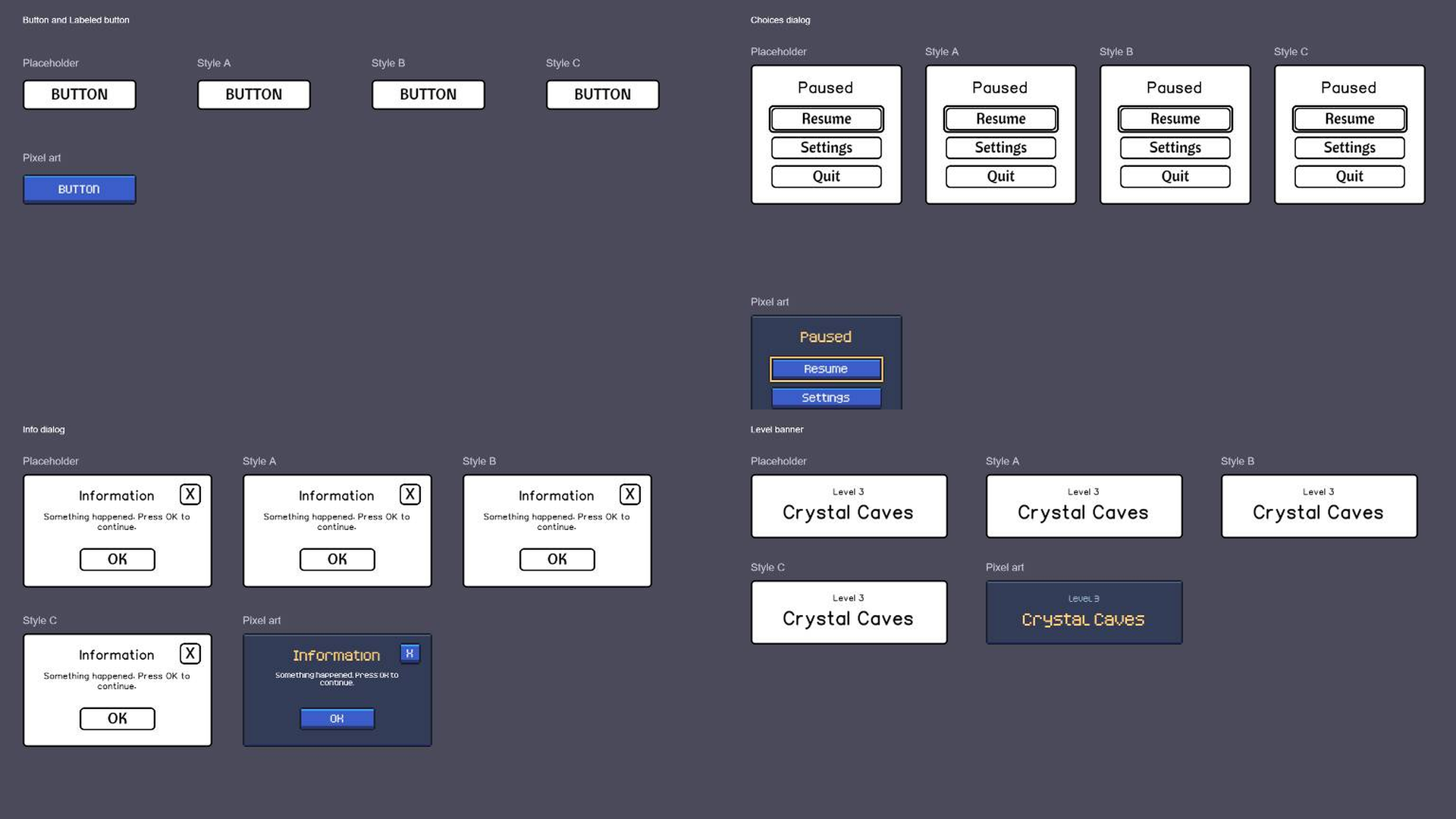
Every UI prefab ready to be restyled: one scene per prefab, with a placeholder style and three styles to fill with your own images.
Each scene shows a prefab in a flat white "Placeholder" style with a black outline, to block out an interface before its art is ready, then in "Style A", "Style B" and "Style C", and in a "Pixel art" style. Every style is a variant of the prefab.
Styles A, B and C start as copies of the placeholder, each with its own images in the assets/Style A, assets/Style B and assets/Style C folders. To make a style, replace the images of its folder: every prefab of the style changes at once, and the dialogs use the buttons of their own style.
The scenes are: button, slider, toggle switch, continuous resource bar, resource bar with separated units, text input, multitouch joystick, two choices dialog box, game over dialog, volume settings, animated score counter, star rating bar, multiplayer avatar, info dialog, choices dialog, area title and level banner.
The project is self-contained: the extensions, their variants and all the images and fonts are included in the project.
Built with these features
- Anchor
- Bitmap Text
- Draggable Behavior
- Leaderboards
- Panel Sprite (9-patch) Object
- Player Authentication
- Text Input
- Tiled Sprite Object
- Tweening
 Labeled button
 Slider
 Toggle switch
 Resource bar (continuous)
 Resource bar (separated units)
 Multitouch joystick and buttons (sprite)
 Two choices dialog boxes
 Gamepads (controllers)
 Game over dialog
 Tween into view
 Volume settings
 Button states and effects
 Animated score counter
 Star Rating Bar
 Player avatar
- Dialogs (info and choices)
- Area title


